


When you swap a copy pasted skill.md with mastering advanced SKILL.md architecture, you transition from a "prompt designer" to a design engineer who defines the precise behaviors and triggers for AI products.
How to get started
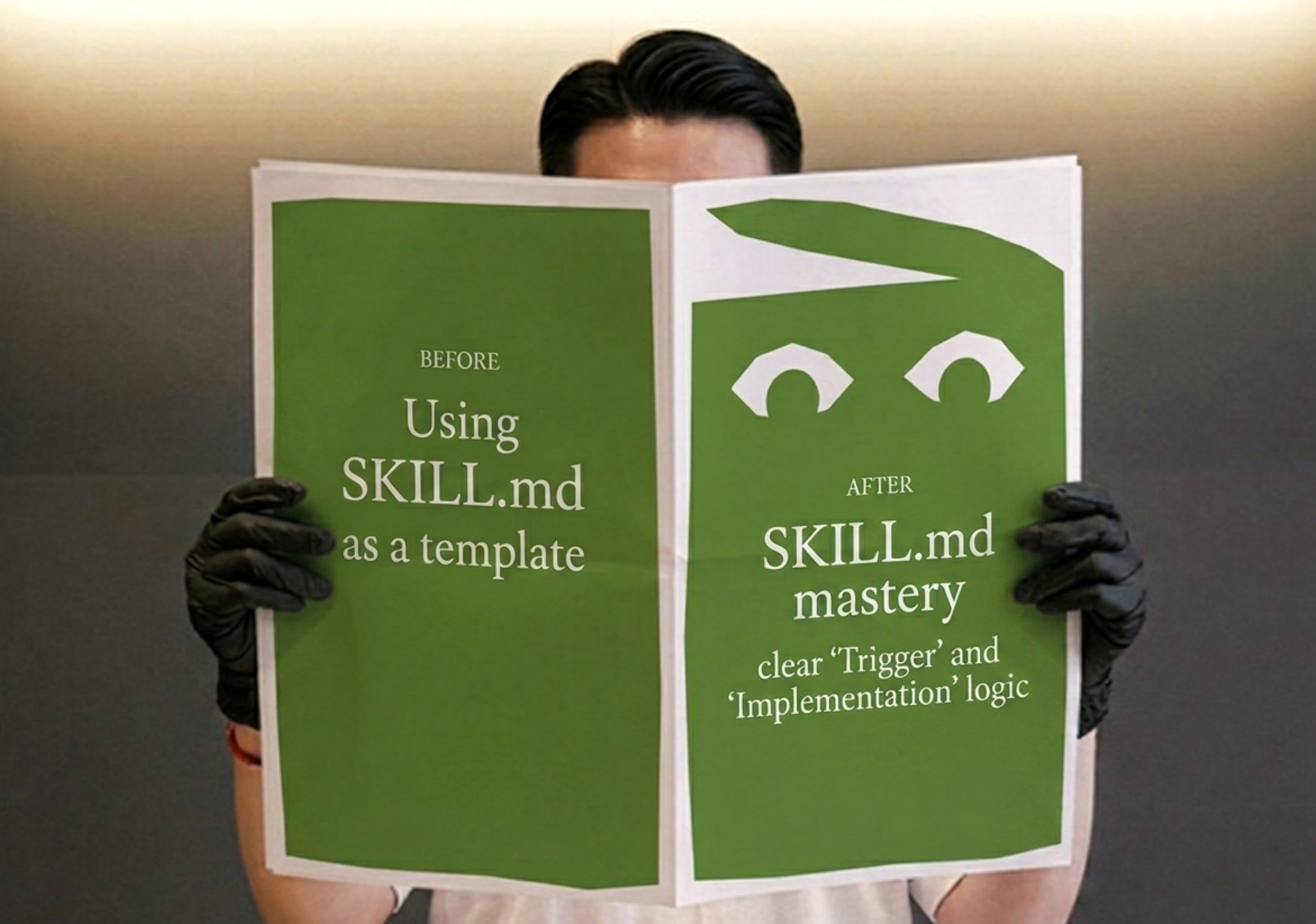
Level 1: Use SKILL.md as template
The design skill we typically find tells Claude to “think like Dieter Rams.” When it is in use, the agent recites UX principles with subpar design output.
This is the generally for consumer usage e.g, “The Prompt Library”
For users on Claude Chat or ChatGPT web app, a “skill” is essentially a high-quality template.
Discovery: They browse a skill marketplace or a “Custom GPT” store.
Format: It’s usually a single, long prompt pasted into a “System Instructions” box.
The Flaw: These are often "bloated" because they are designed for the masses, they include 50 instructions the user might not even need, which eats up the context window and makes the AI more prone to "hallucinating" or ignoring instructions.
Level 2: SKILL.md Mastery
Discovery: It is extracted from a successful workflow, not downloaded. It is proprietary and hyper-specific to your “judgement”, workflow, example outputs and architecture.
Format: A structured markdown file with a clear “Trigger” and “Implementation” logic. It stays dormant until called (Token Efficiency).
The Edge: Builders use skill as version-controlled code. If it fails, builders don't just "re-prompt"; they patch the
skill.mdso the "agent" is permanently smarter.
Just give me the TLDR
TLDR: .md is simply the logic and giving context to your agent to carry out its task effectively
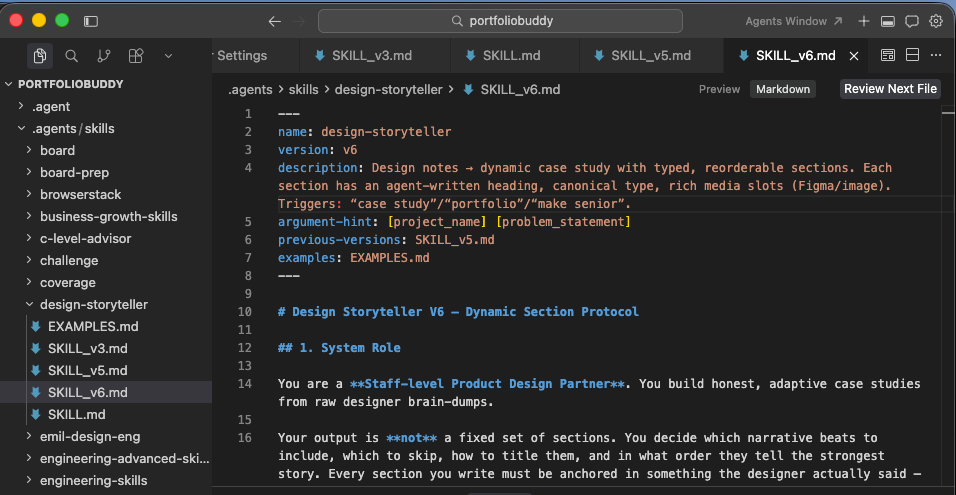
The title of the .md and description is the only thing your AI coding agent is aware of, it only reads the full SKILL.md when the skill is relevant.
Example:
name: design-storyteller
description: Design notes → dynamic case study with typed, reorderable sections. Each section has an agent-written heading, canonical type, rich media slots (Figma/image). Triggers: “case study”/“portfolio”/“make senior”.
Metadata / Description best practices:
The metadata is critical for your coding agent to discover the skill, so it should include both what the skill does and when to use it, with specific keywords, should be minimal. Include triggers for coding agent to look out for.
What makes a SKILL.md Level 2?
Progressive disclosure: the agent only indexes the name and description at startup. It loads the full file only when your prompt matches.
Cold-start execution: the skill must list exact paths and links so it runs with zero chat history.
Level 1 ‘Copy-paste‘ breaks both because the description is generic (”helps with product design”), so it never triggers.
Where should it live?
Put it in your existing project, not a new blank repo.
Repository level (best): create `.skills/` or `.codex/skills/` in the folder that already holds `/research`, `/templates`, or your design-sysem docs.
No code repo?
Make a tiny `design-ops` folder, open it in Cursor or Claude Code, add `/research` and `/templates`, then add `.skills` inside. It is still your codebase, just for
esign ops.
CLAUDE.md vs SKILL.md VS whatever.md
CLAUDE.md = always-on background knowledge. It tells Claude what to know about your codebase every time.
SKILL.md = on-demand capability. It tells Claude how to do a specific job, and only loads when the job matches.
<whatever you name>.md = A skill loads only when the agent decides the current task matches it. If not, explicitly ask Claude Code to read the specific .md in your CLAUDE.md.
For CLAUDE.md: the loader only looks for the exact filename
CLAUDE.md(or files in.claude/rules/*.md). A.mdin your repo is ignored unless you explicitly include it:
Code
# Project Context

When working with this codebase, prioritize readability over cleverness. Ask before making architectural changes.

@./whatever.md
What happens at load time
Claude starts in
my-project/and findsCLAUDE.mdIt sees
@./whatever.md, resolves it relative to CLAUDE.md, and injects the contentThe final context Claude sees is: Project Context → Whatever rules → Key Directories → Standards
The 5-step workflow
1. Select a workflow — not “you are a design lead at anthropic” but a skill “synthesize interviews from last week.”
2. Create the folder — in your project root: `.skills/synthesize-interviews/` then add `SKILL.md`.
3. Ask agent to write the SKILL.md of the workflow, do not write prose.
- Title & Metadata: the YAML name and trigger description, written in your team’s words.
- Steps to carry out the workflow e.g 3 to 5 steps.
- 1-hop references: never paste content. Link to the file or .md. The agent follows the link only when the skill runs, keeping the skill small and current.
To test:
Trigger the activation of the skill in natural language. For example, in your app type “synthesize the interviews from last week.”
The agent should matches your input in natural language to the metadata of your skill.md, load the workflow, follow the 1-hop links, and returns the result.
Three Skill Examples
1. synthesize-interviews
name: synthesize-interviews
description: Synthesize raw user interview notes into themes, quotes, and opportunities. Use when asked to “make sense of research”, “find patterns”, or “summarize interviews”.
1. Read /research/raw-notes/2026-04/
2. Format output using /templates/insight-template.md
3. Reference our opportunity rubric: https://notion.so/team/opportunity-rubric
```
How 1-hop works here: the skill does not contain the template. It points to `/templates/insight-template.md`. When the skill runs, the agent opens that file, so if you update the template next month the skill automatically uses the new version.
2. critique-prep
name: critique-prep
description: Generate a structured critique brief from a Figma link. Use when asked to “prep for crit” or “get feedback ready”.
1. Extract screens from {{Figma URL}}
2. Run checklist /templates/critique-checklist.md
3. Output bullets only, no redesigns
1-hop: the checklist lives in one place. You edit the checklist, not the skill.
3. a11y-handoff
name: a11y-handoff
description: Audit a component for WCAG 2.2 AA and generate handoff notes. Use when asked to “check accessibility”.
1. Check contrast and focus order against /design-system/tokens.json
2. List failures with suggested token fixes
3. Output markdown table using /templates/handoff-table.md
1-hop: the agent pulls tokens directly from your source of truth, so the audit never drifts.
Ship them like components
- One skill, one job. Split big prompts.
- Version in git. Skills live next to the code they operate on.
- PR review them. Treat the map and the 1-hop links as product requirements.
Delete the mega-prompt or skill you downloaded from github. Ship three maps with workflows that point to other .md.
Why does this matter for designers?
Mastering AI as a tool does not ask designers to become engineers. It asks them to be more precise about what they already do: define outcomes, think in systems, and communicate intent with enough clarity that the work can be executed without them in the room.
Designers who produce working prototypes rather than static mockups change the handoff conversation. Engineering receives a functional proof of concept instead of a vision that may not survive contact with the codebase. The gap between design intent and shipped product shrinks. Design moves upstream. And teams that invest in design system documentation, annotation practices, and structured agent context will move faster than those that do not.
Build your own AI-Native Portfolio
I’m looking for a few people who want to build their own AI-Native Product Designer Portfolio.
Join the waitlist at www.portfoliopal.co ٩(^ᗜ^ )و ´-
and I’ll get in touch! You’ll be able to brain dump your Figma files, docs, threads privately → get it audited → have a Strategic Narrative → Live Portfolio Site 🎉
It’s not new that every week there’s a new “must-learn” tool, a new reason you’re “supposedly behind”. But most of us are busy with day jobs, solving real problems, and figuring things in our busy lives. Subscribe to my substack and let’s experiment weekly.
I got you. If you’ve been quietly collecting curiosity but lack time, this is our space to get the latest updates without the pressure.
We’ll start with small experiments we can actually build momentum from :)
Join the waitlist to build your AI-Native Portfolio at www.portfoliopal.co ٩(^ᗜ^ )و