What “Designing in Code” Looks Like in 2026: Tools & Workflows (Free Tools)
Three core open source tools for visually refining your designs on the browser with AI coding

What does designing in code look like?
Level up your communication with coding agents by using Design Tools when AI Coding.
❌ “Make the blue button in the sidebar less cramped.”
❌ ”Make the animation bounce softer”
✅ Use design tools
As we know that design surface is moving closer to the product itself, here are some open source tools the community has built for us to learn and innovate together.
We expand our skill sets and mastery of tools. On top of just using Figma, handing off screens, then going back and forth + praying that the implementation matches, now as designers we can now inspect, tune, annotate, and refine the live interface directly in the browser, with AI coding agents doing the edits accordingly.
When are these tools useful in the design process?
The traditional design process usually looks something like this:
Research → problem framing → ideation → alignment → high-level direction → ux design → implementation → QA/refinement.
Tools like Agentation, DialKit, and Retune usually sit later in this process during refinement of the UX design.
They are most useful after you have already explored ideas, aligned on the direction, and have a version of the design running in code.
Once the general direction is implemented, designers can move into a tighter refinement loop: Live app → visual feedback / tuning → structured context → AI coding agent → source code update.
It is a newer layer of the design process where refinement happens closer to the real product, and AI coding agents help translate visual judgment into source-code changes.
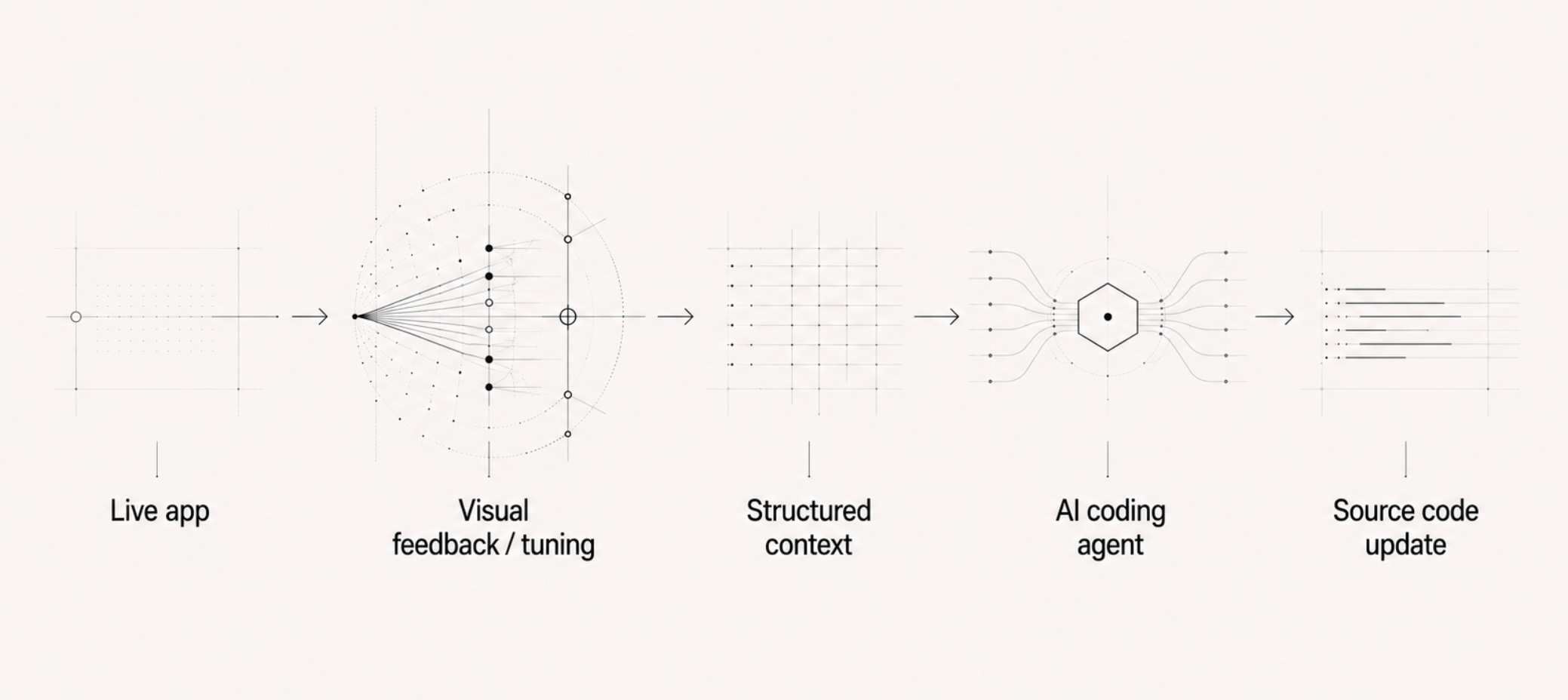
In this article we dive into the tools specifically for visual feedback/tuning.
For a more tools check out the article below, it features tools that allow your Claude Code agent to work in your figma file, and design engineering skills.md you can give to your coding agent & prompt it to improve your interaction and animation design:

Here are three tools that you can use to design in code:
1. Agentation
Link: https://www.agentation.com/
You may have heard me write about this in my previous article (Tools and Workflows #1)!
Point and annotate the frontend changes you want Cursor / Claude Code to make.
When I’m vibe-coding with Cursor or Claude Code, it’s hard to tell the coding agent which element and how I want it to be fixed exactly. Agentation allows you to point and annotate on the UI. Compile notes. Copy and paste it for your coding agent to fix.
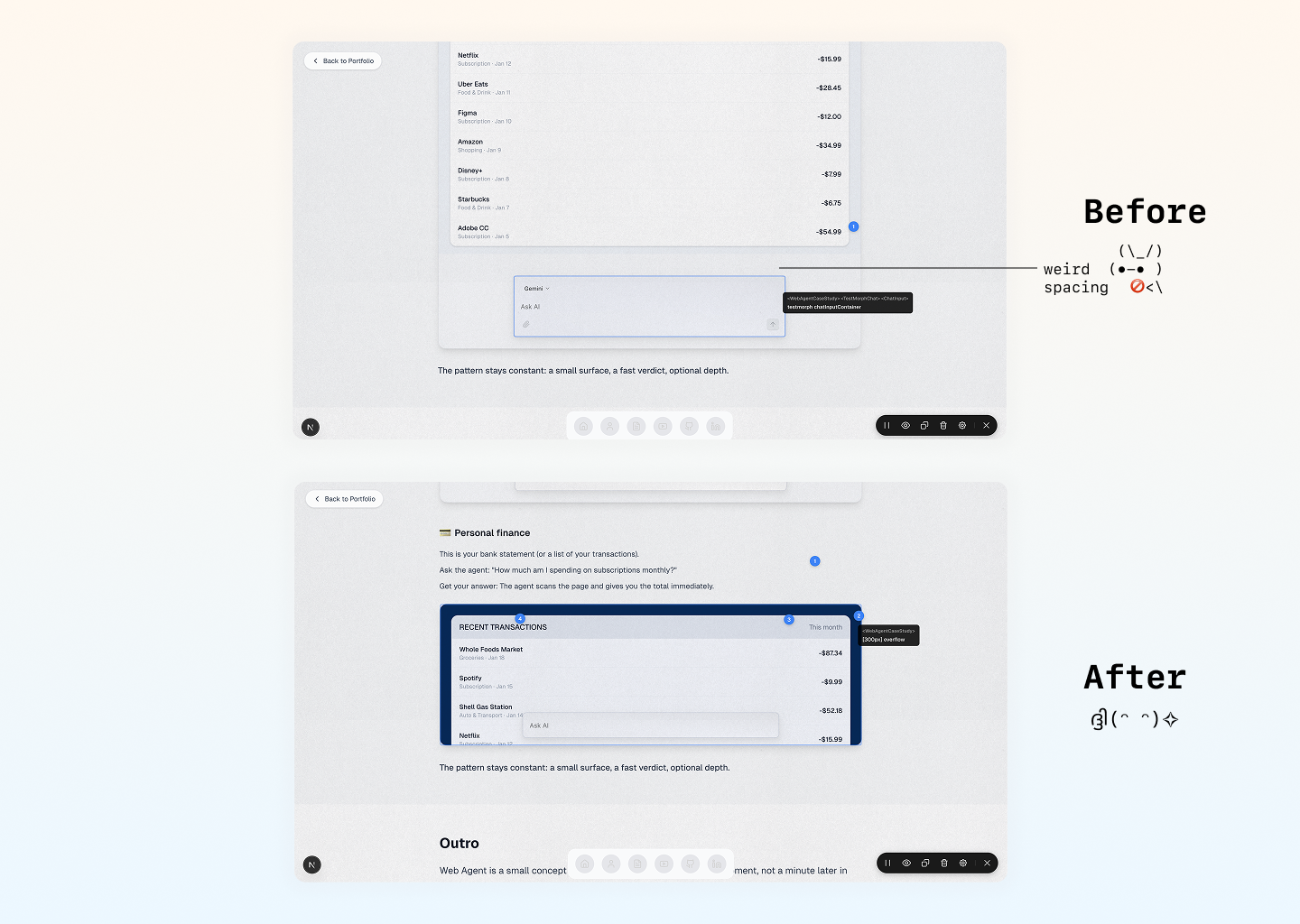
You run it inside your app, click an element, leave a note, and Agentation turns that feedback into structured context your coding agent can understand.
This matters because the hard part of prompting an AI agent is often not the instruction.
It is pointing to the exact thing you mean.
Instead of saying:
“Make the blue button in the sidebar less cramped.”
You can click the button, annotate it, and give your agent a much more precise instruction tied to the actual element.
How to get started:
Open Cursor/Claude Code.
Paste the command line to run it:
npm install agentationThen copy the contents of this page and paste it, ask your coding agent to setup.
Ask your coding agent to open what you’re building on localhost.
Once done, you should see a toolbar on the corner of your localhost to point and annotate.
This Week’s Must Try
Set up Claude Code, then ask claude code to spin up a simple website for you and open it on localhost (on your browser). Tell it to ‘run npm install agentation’ and poke around on that website on your browser.
2. Dialkit
Link: https://joshpuckett.me/dialkit
DialKit is a real-time parameter tuning tool for interfaces.
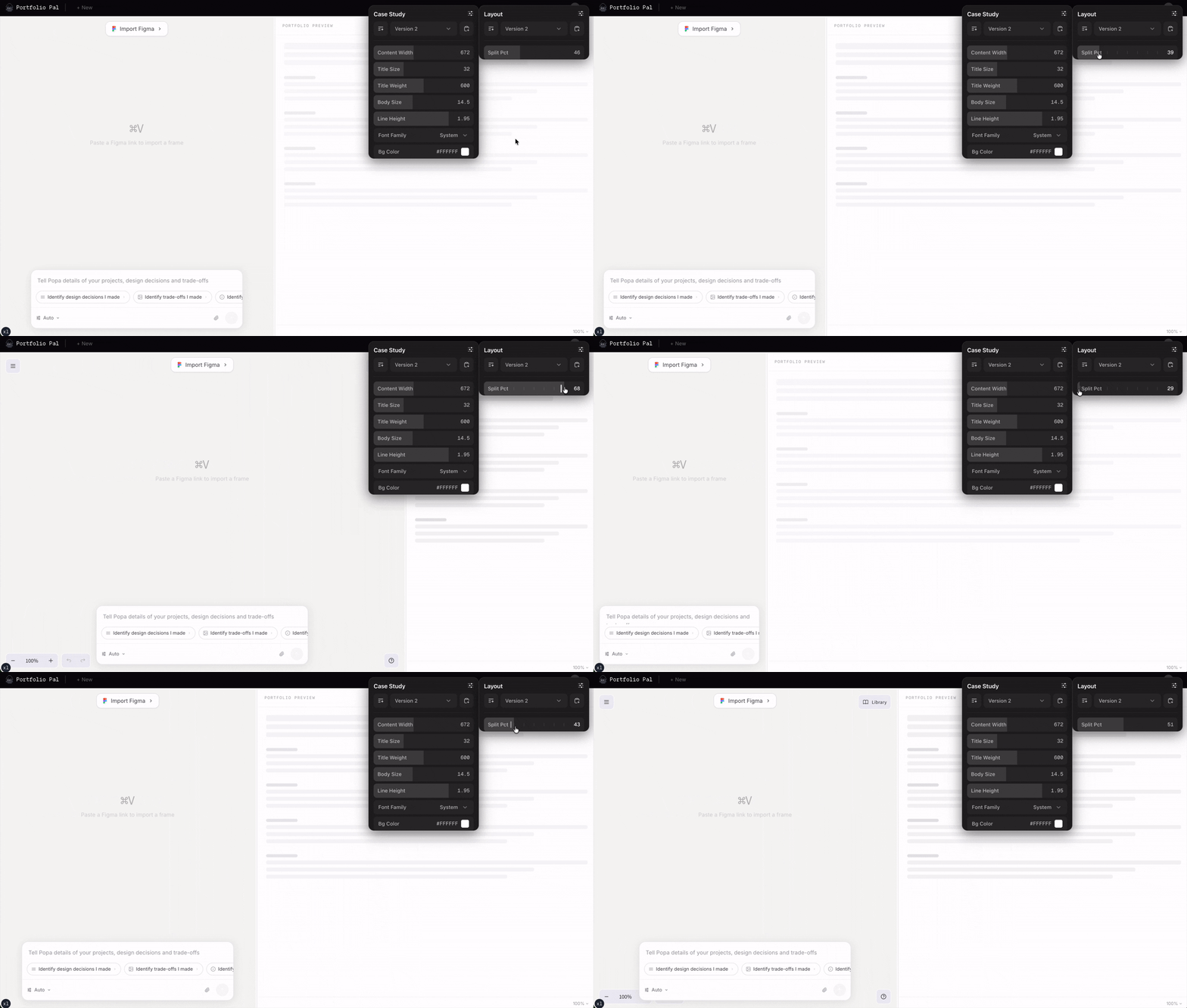
Instead of changing numbers in code, refreshing the app, then guessing again, DialKit gives you a small control panel where you can tune values live: spacing, blur, opacity, scale, columns, colors, spring physics, animation timing, and other parameters. It works with React, Solid, Svelte, and Vue.
This is especially useful for the “last 20%” of interface craft.
Things like:
“Is this hover scale 1.02 or 1.04?”
“Should this card gap be 16, 20, or 24?”
“Does this animation need more bounce?”
“Should this shadow be softer?”
These are hard to prompt because they are felt visually. DialKit lets you tune them by hand, directly in the running product.
Best for
Use DialKit when you are designing interactions, motion, layout feel, or visual polish.
It is especially useful for:
hover states
spring animations
modal entrances
card layouts
spacing systems
interactive prototypes
finding the right values before hardcoding them
How to get started:
DialKit installs with:
npm install dialkit motionThen add <DialRoot /> to your root layout and import the styles. DialKit’s own docs suggest you can also ask your coding agent to wire it up for you.
Prompt your agent:
Install DialKit and add it to this app.

Add DialKit controls to the card component so I can tune:
- gap
- padding
- border radius
- shadow blur
- hover scale
- spring duration
- spring bounce

Use the tuned values directly in the component so I can visually dial in the final feel.
3. Retune
Link: https://www.retune.dev/
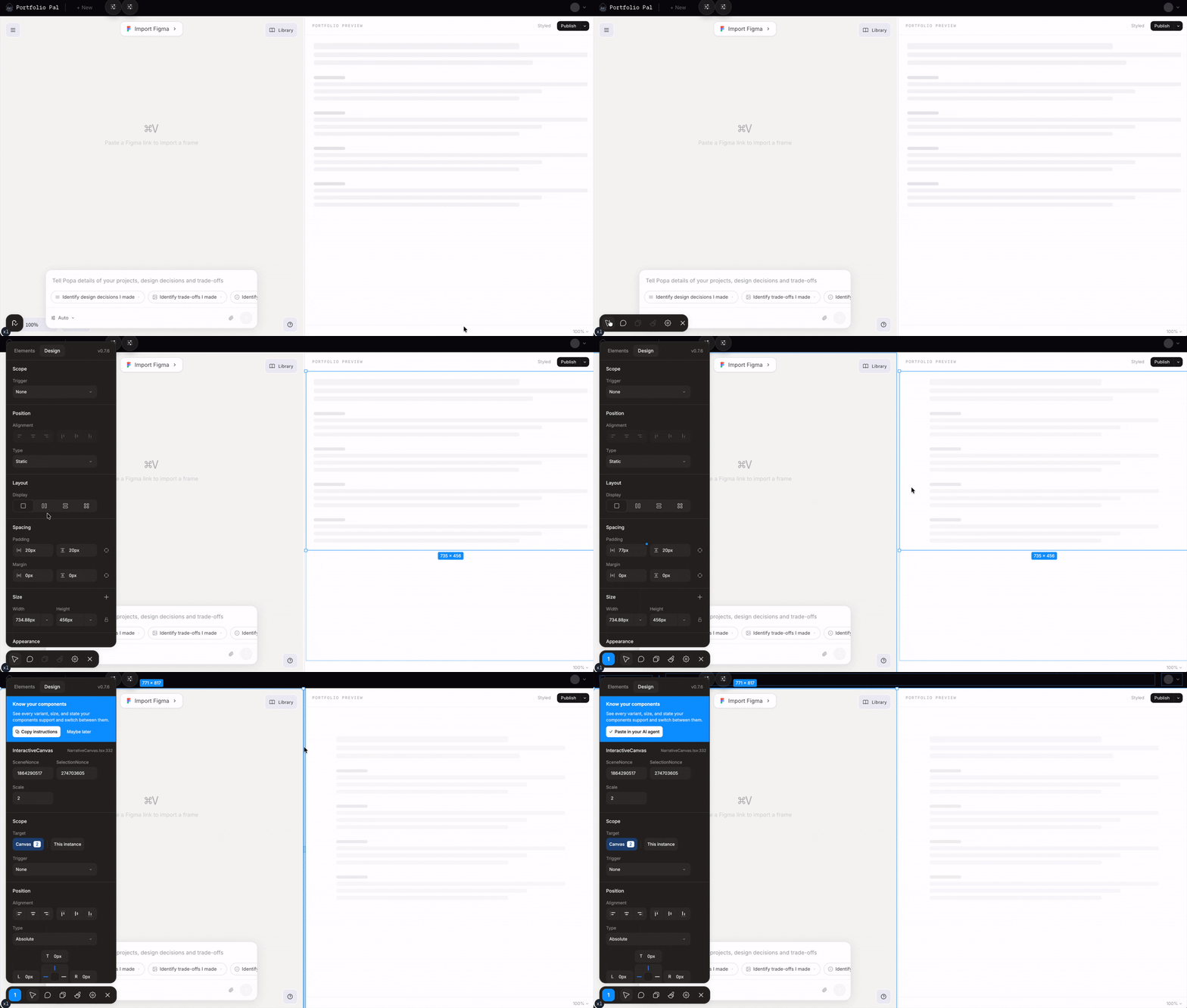
Retune is a dev-only visual editing overlay. You click elements in your running app, tweak styles/layout, and it pipes changes back to Claude Code via MCP to write them to source. It is useful for complex instructions that made sense adjusting using Figma.
The comment mode isn’t different from agentation.com or how Cursors Browser Tools work, visually edit on localhost, copy and then paste it / give to your coding agent.
Retune also supports component props and states so you can see all variations of your components.
Retune does not directly modify your source code. It sends the structured visual changes to your AI tool, and your agent applies the code changes for you to review
How to get started:
Tell your coding agent to install retune:
npm install retunea. Select an element
Click anything on your page. Retune identifies the component, its styles, and where it lives in your codebase.
b. Tweak visually
Adjust spacing, colors, typography, and layout in the browser. Changes preview instantly. What you see is what your agent gets.
c. Apply with your agent
Retune connects to Claude Code, Cursor, or any MCP client. Your agent writes the changes to source.
So which one should you use?
Use Agentation when you want to leave feedback.
Use DialKit when you want to tune values.
Use Retune when you want to visually edit the live UI and have an agent apply the code.
The simple way to think about it:
Agentation = point and comment
DialKit = tune parameters
Retune = visually edit and apply
I dont think these tools replace Figma just yet, canvas-base UX still has a place in the process of designing.
Using these tools often happen later in the design process (or double diamond or whichever framework you use) after you have ideated, aligned on a high level direction and is experimenting with designs on screen. This is part of a newer loop where design happens closer to the real product.
Figma is still useful for exploration, flows, and alignment.
When you are refining the actual interface, spacing, motion, hierarchy, states, polish the browser is often the more honest design surface.
A great example is scrolling motion and interaction design.
Where these tools for designing in code actually fits
The traditional design process usually looks something like this:
Research → problem framing → ideation → alignment → high-level direction → screen design → prototype → implementation → QA/refinement.
Tools like Agentation, DialKit, and Retune usually sit later in this process during refinement of the prototype
They are most useful after you have already explored ideas, aligned on the direction, and have a version of the design running in code.
Introducing 1:1 Course AI Code Your Design Portfolio 🥳
I’m so happy to share that I’m hosting a live AI-coding design class where designers turn their taste into a shipped portfolio! Come in with messy work. Leave with an AI-coding workflow, and a live portfolio you can apply to jobs with.
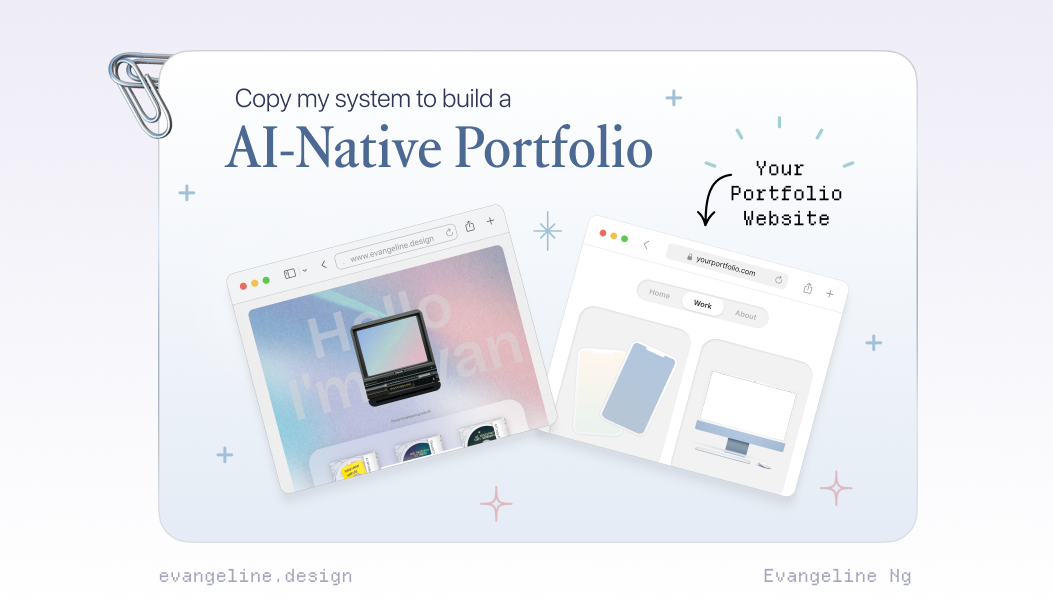
If you want to build an AI-Native Portfolio, you can register for a spot on: https://www.portfoliopal.co/portfolioweekend
It’s not new that every week there’s a new “must-learn” tool, a new reason you’re “supposedly behind”. But most of us are busy with day jobs, solving real problems, and figuring things in our busy lives. Subscribe to my substack and let’s experiment weekly.
I got you. If you’ve been quietly collecting curiosity but lack time, this is our space to get the latest updates without the pressure.
We’ll start with small experiments we can actually build momentum from :)